Lolipop! Has Launched Its "Content Cache Feature"
On March 27, 2018, the rental server provider Lolipop! began offering a free beta version of its new "content cache feature", which delivers faster and more stable website display.
Reference: Rental server "Lolipop!" offers its new "content cache feature" for speeding up website display free of charge - improving WordPress site performance by roughly 24x
What Is the Content Cache Feature?
By temporarily storing website content on a cache server, it shortens the waiting time before content is displayed that previously occurred. In the performance measurements carried out by Lolipop!, the following was announced.In performance measurements of websites built with WordPress, we confirmed a performance improvement of roughly 24x (*1) over the conventional environment through use of the "content cache feature".(*1) Compared by the number of HTTP requests that can be processed per second. The WordPress version at the time of testing was 4.9.4.
Users on the Lolipop! Light plan or higher can configure it easily from the control panel.
Note that it is currently in beta, and the plan is to begin offering the official version on each plan within roughly one month.
Benefits
- Reduced server load
- Faster page display
- Better user accessibility thanks to the speed increase
- A positive effect on SEO (PageSpeed) thanks to the speed increase
- A positive effect on Google's Mobile-First Index (MFI)
How to Configure It
Log in to the Lolipop! user control panel and open Server Management/Settings > Content Cache.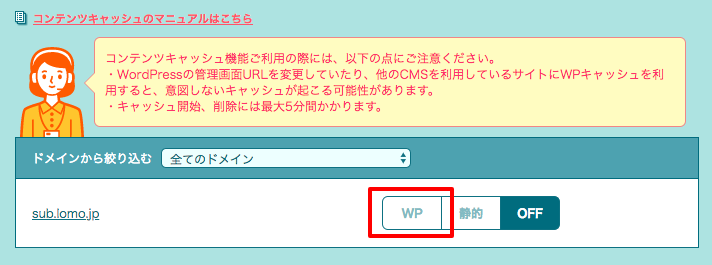 Click the "WP" button for the domain you want to configure, and setup is complete once "Caching has been enabled" is displayed.
It takes up to five minutes to take effect.
Reference: How to enable and disable the content cache / Server and programs / Manual
Load Speed Measurements
The demo site's server has been migrated.
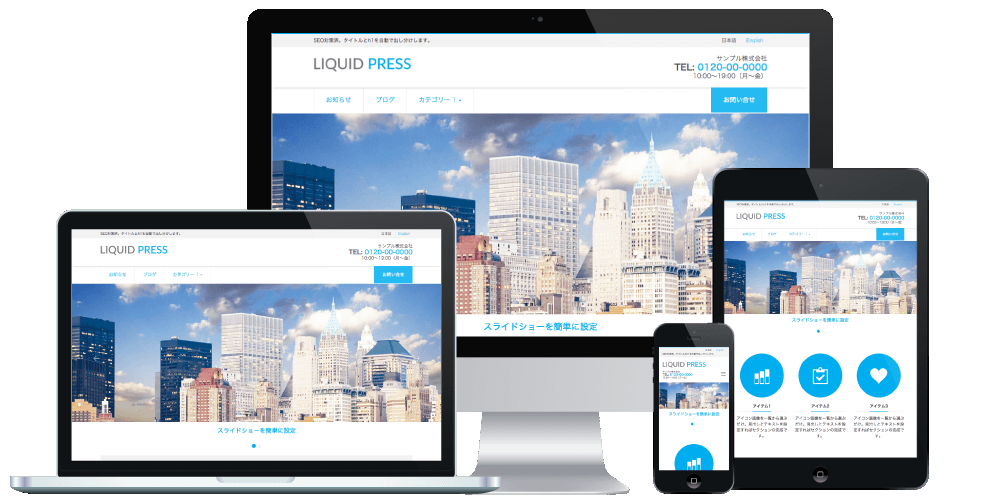
The LIQUID PRESS demo site uses the rental server provider
Lolipop!
.
So we enabled the content cache feature and measured the actual display speed.
Google PageSpeed Insights
We measured with Google PageSpeed Insights, which measures page loading performance.Before enabling the content cache feature
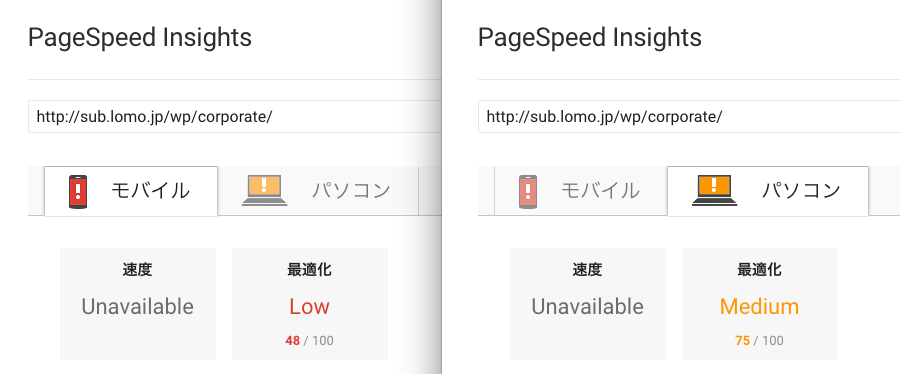 Because no caching or image compression plugins were in use, the scores were "Low" on mobile and "Medium" on desktop.
After enabling the content cache feature
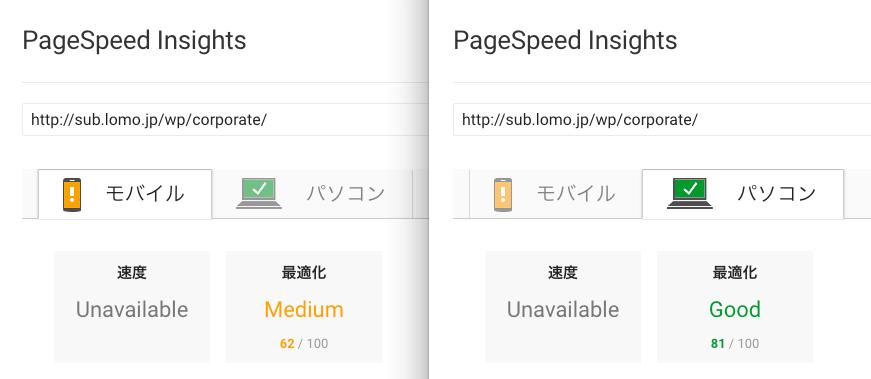 Mobile improved from "Low" to "Medium", and desktop improved from "Medium" to "Good".
*Scores varied somewhat depending on when the measurement was taken.
Summary
This is a convenient feature that speeds up WordPress with a simple configuration.If you use Lolipop!, please give it a try.
Test Environment
- Lolipop! Standard plan, "content cache feature" beta
- WordPress version 4.9.4
- WordPress theme "LIQUID CORPORATE" version 0.9.7.4
Please Note
- The test results above are from the time of testing.
- We do not guarantee the effect of the content cache feature. Results may vary depending on the environment.
- PageSpeed Insights optimization scores vary depending on a wide range of conditions. We do not guarantee any score.
Related Articles
- LIQUID PRESS theme features (Responsive Plus support)
- Speeding up WordPress and improving your PageSpeed (load speed)
- About support for the Google Mobile-First Index (MFI)
LIQUID PRESS
 » Unlimited Plan
» All Themes
» Unlimited Plan
» All Themes