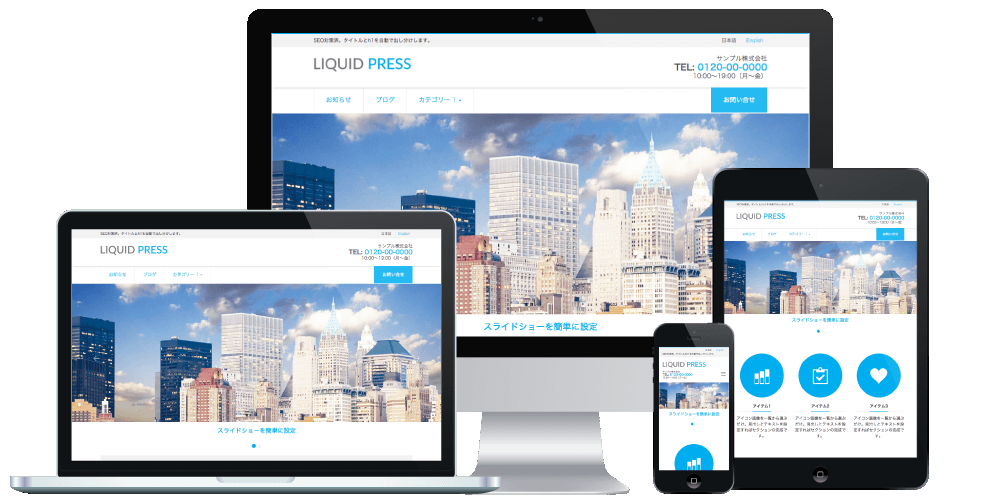
Registered in the official WordPress directory. Free.
Free download » Pro versionOr search for LIQUID BLOCKS from the WordPress admin screen
New We have released the custom field & CPT & security plugin!
WordPress slider block & pattern plugin
LIQUID BLOCKS is a plugin that makes the WordPress block editor even more convenient.You can add blocks such as the slider block, tabs, accordions, and If conditions.
It raises the quality of your content, streamlines article creation, and solves the challenges of running a site.
Usable with any theme. Made in Japan. Multilingual support.
List of LIQUID BLOCKS blocks
Slider block
You can create a slider block. The display interval, number of slides shown, effect (slideshow, fade), and autoplay can all be configured.With an intuitive tabbed settings UI designed for ease of use, you can place a slider anywhere you like on your site or within a page.
Inside each slide, you can freely place and rearrange images, cover blocks, text, and more.
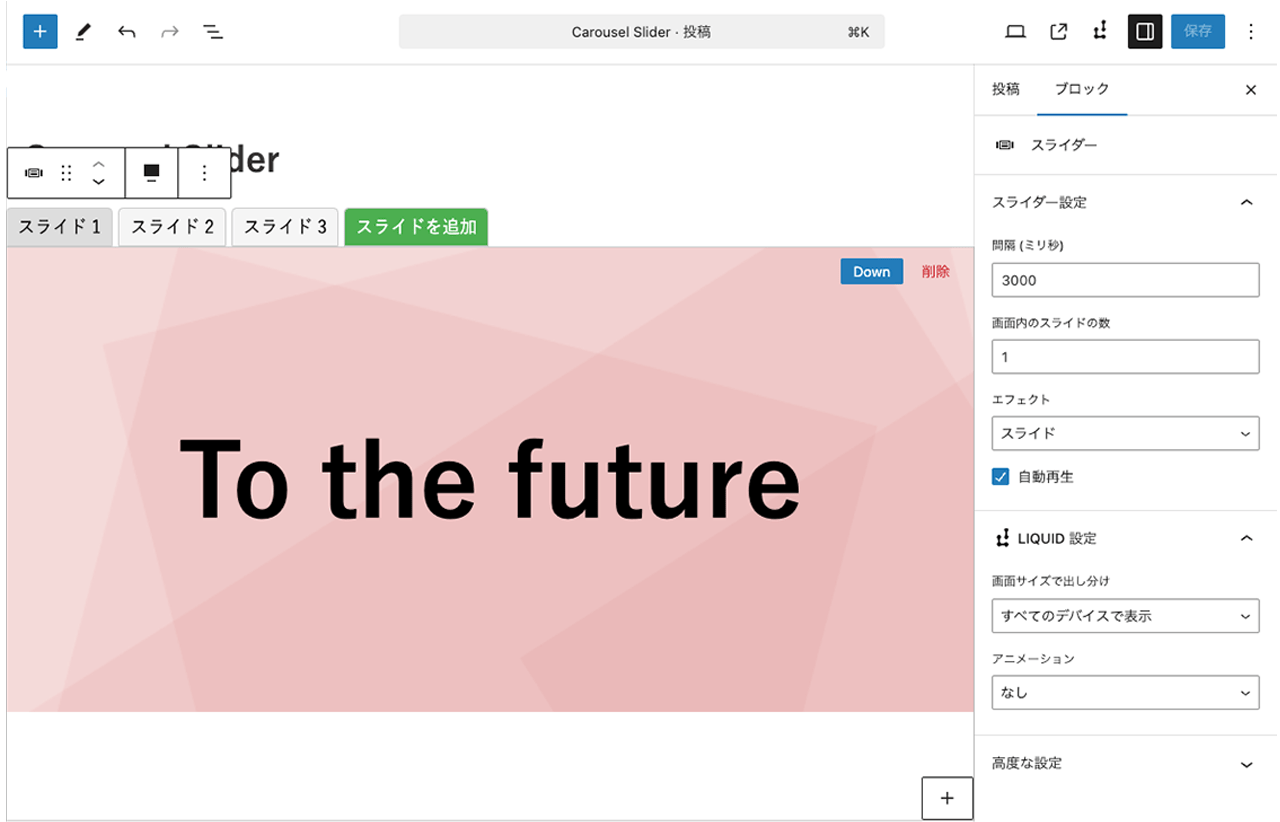 Slider block settings screen (theme: LIQUID PRESS BLOCK)
Slider block design examples

Slides shown on screen: 1

Slides shown on screen: 2
Tab block
A block that lets you switch the displayed content with tabs.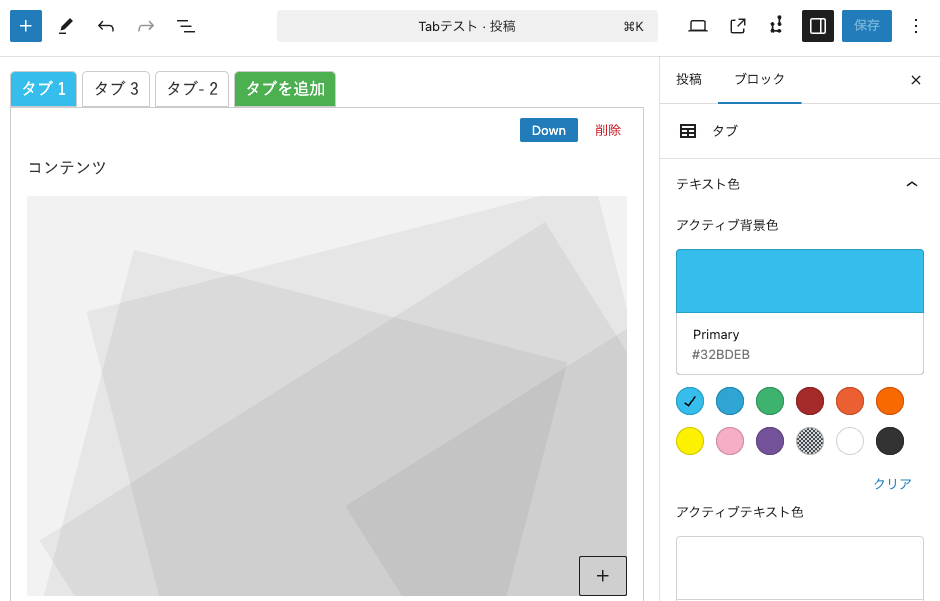
Accordion block
A block that lets you create expandable and collapsible content.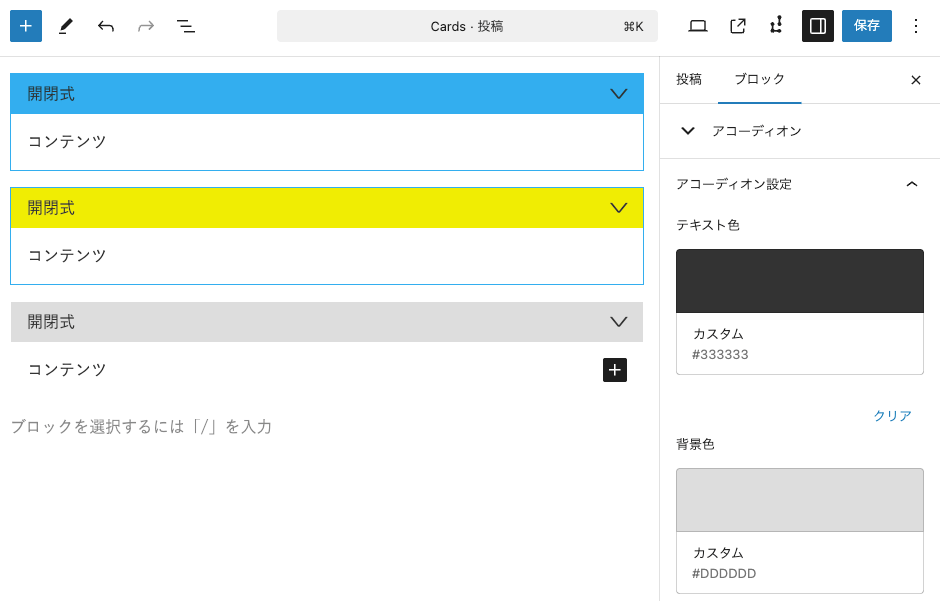
Card block
A block that lets you create cards with headings.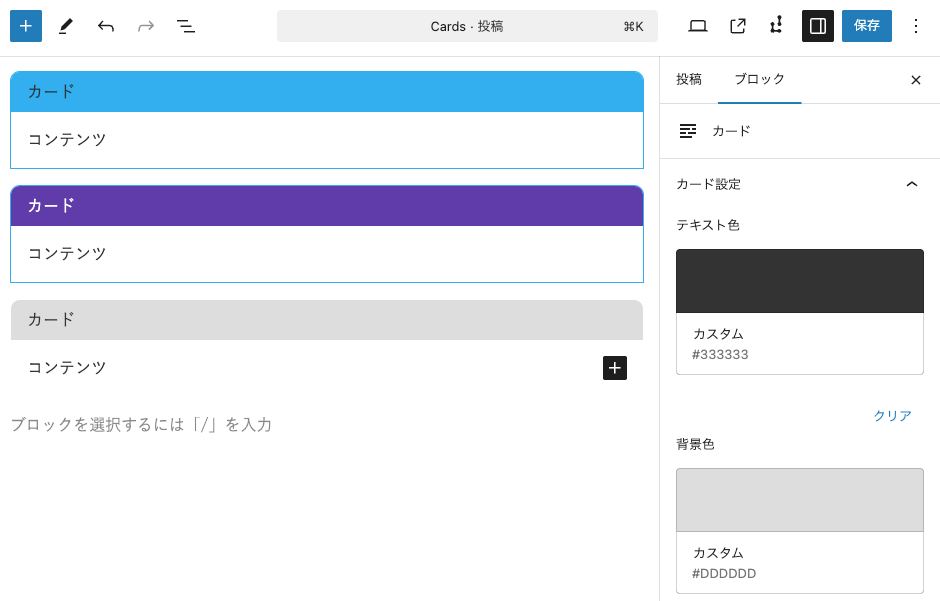
Custom field block
Retrieves and displays custom fields.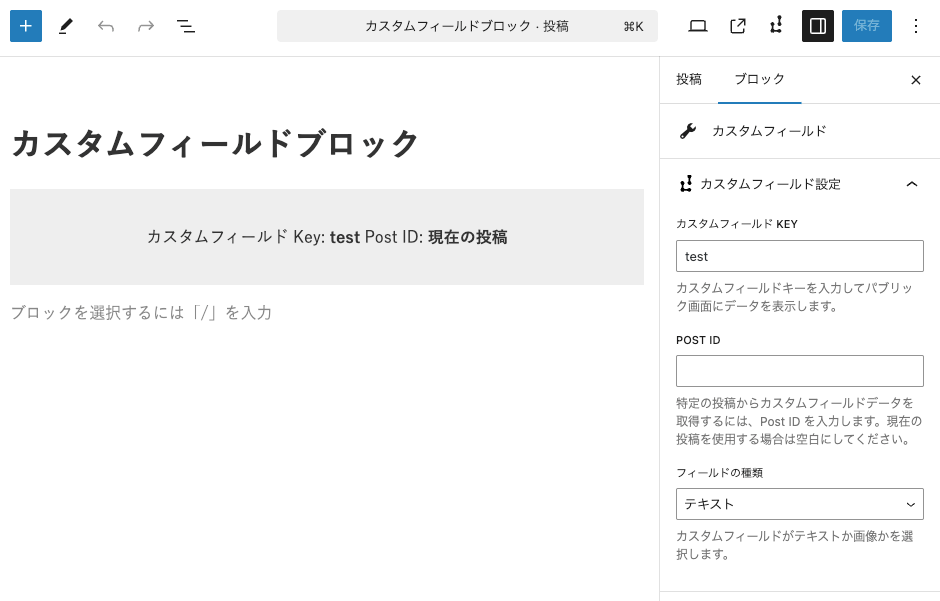
Fixed / sticky block (Pro)
Displays fixed-position or sticky popups on the screen.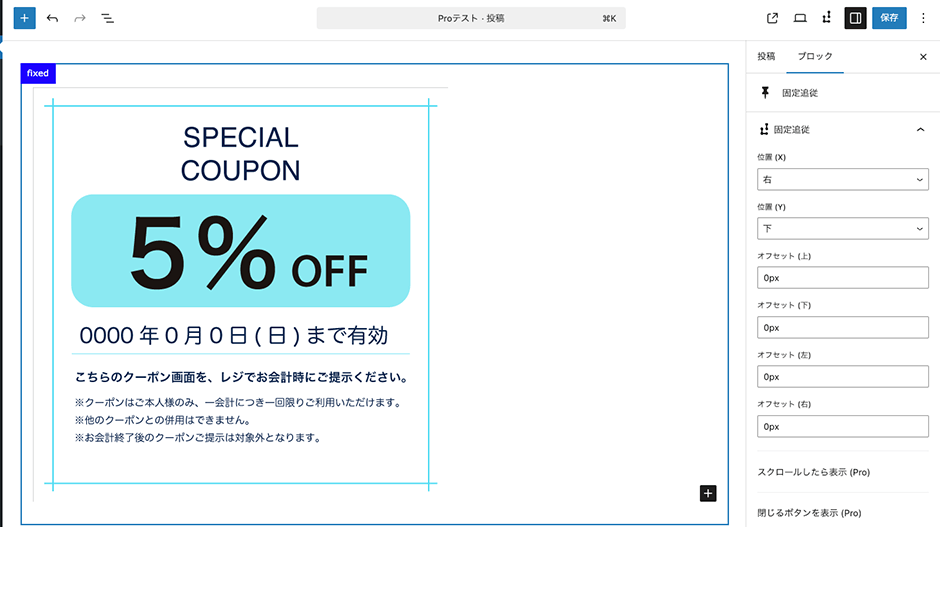
If condition block (Pro)
Lets you set conditions based on login status or the specific page.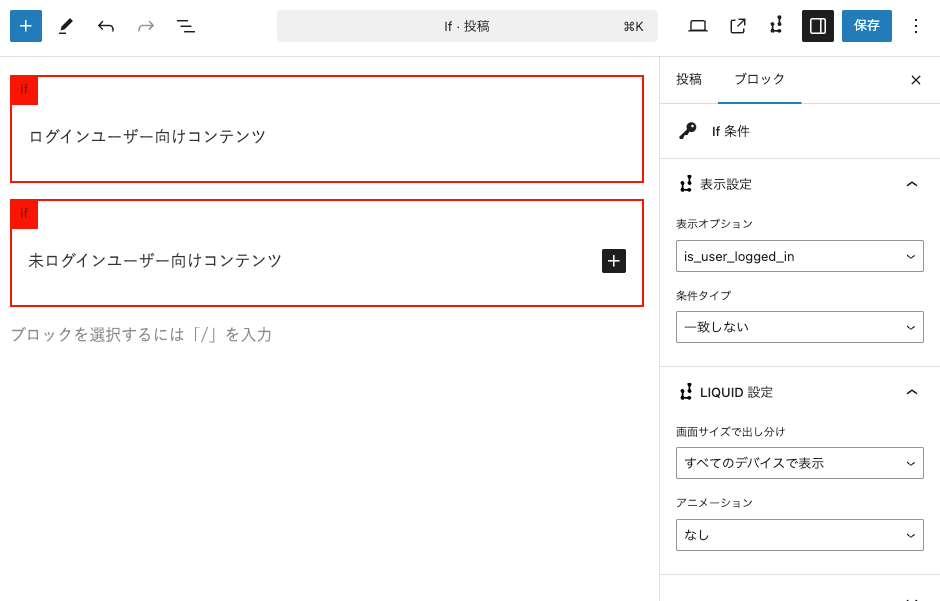
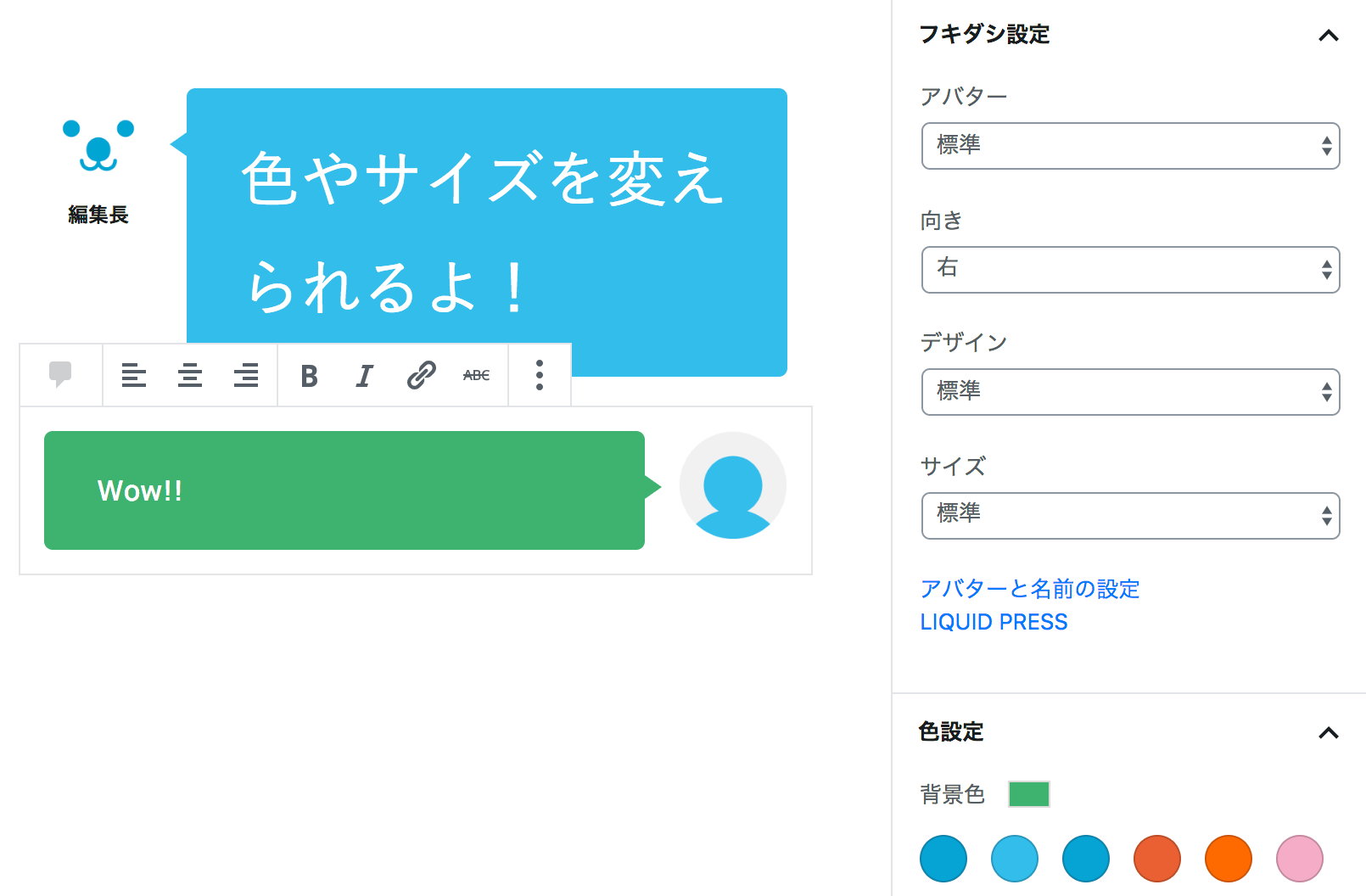
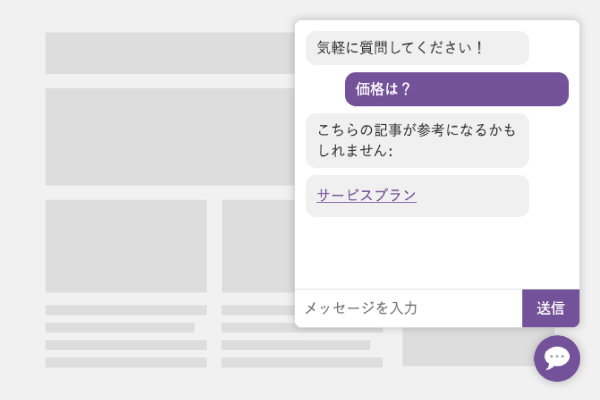
Speech balloon block (plugin)
Lets you create conversational speech balloon designs.» LIQUID SPEECH BALLOON
Block pattern features
Block patterns
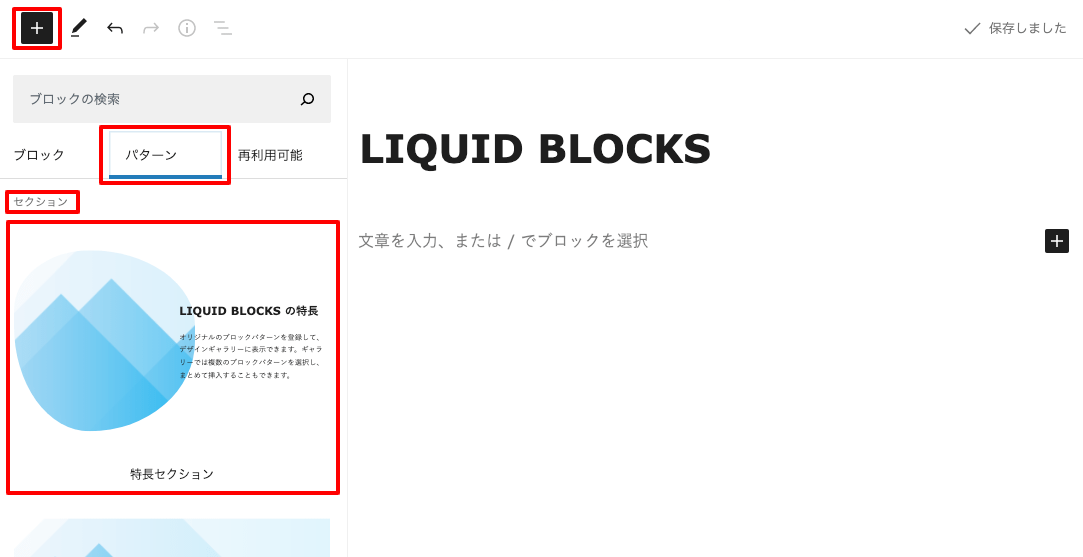
WordPress block patterns are a feature that lets you insert combinations of blocks.
With LIQUID BLOCKS, you can create and add your own original block patterns, or insert several at once from the block gallery.
It is a recommended feature both for those switching over from the WordPress classic editor and for those just starting out with WordPress.
With LIQUID BLOCKS, you can create and add your own original block patterns, or insert several at once from the block gallery.
It is a recommended feature both for those switching over from the WordPress classic editor and for those just starting out with WordPress.
Block gallery
LIQUID BLOCKS offers a rich lineup of designs in the block gallery.
Using a template from the block gallery, you can complete the design of an entire page in an instant.
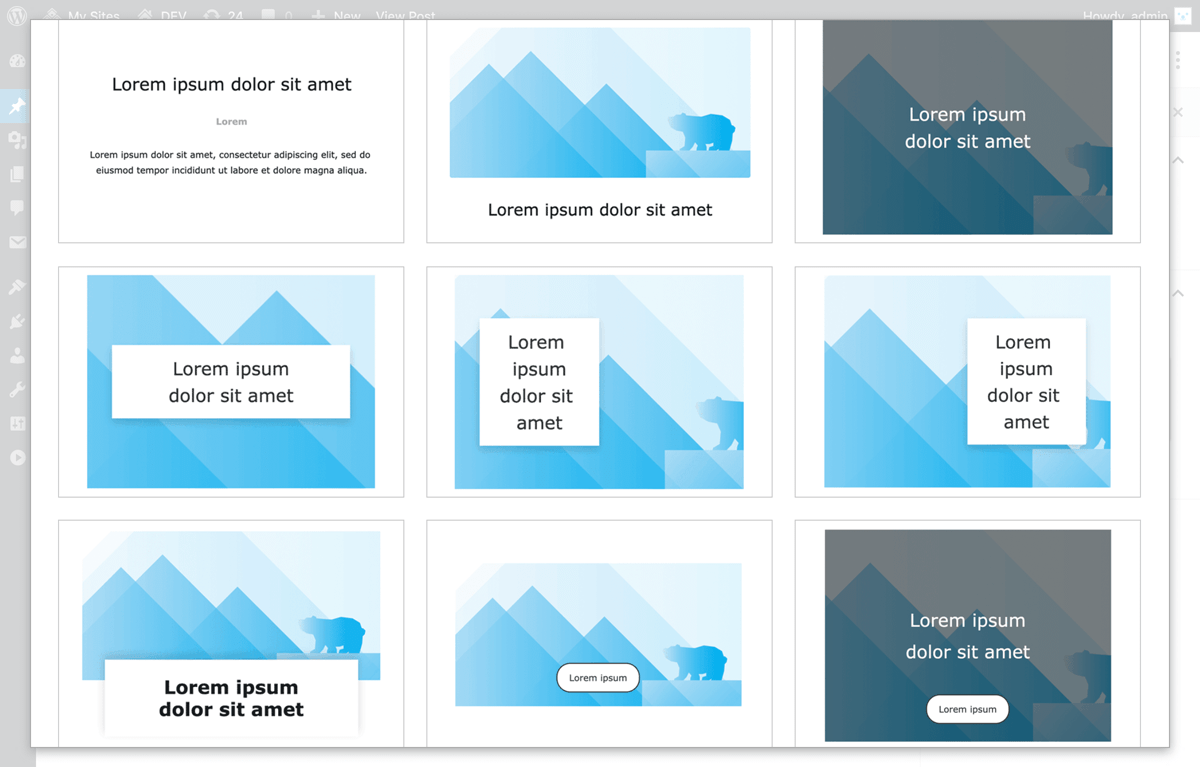
What is more, you can add your own block gallery (customization required).
By adding designs unique to your site, you can run your site even more efficiently (case studies).
For details, please feel free to contact us.
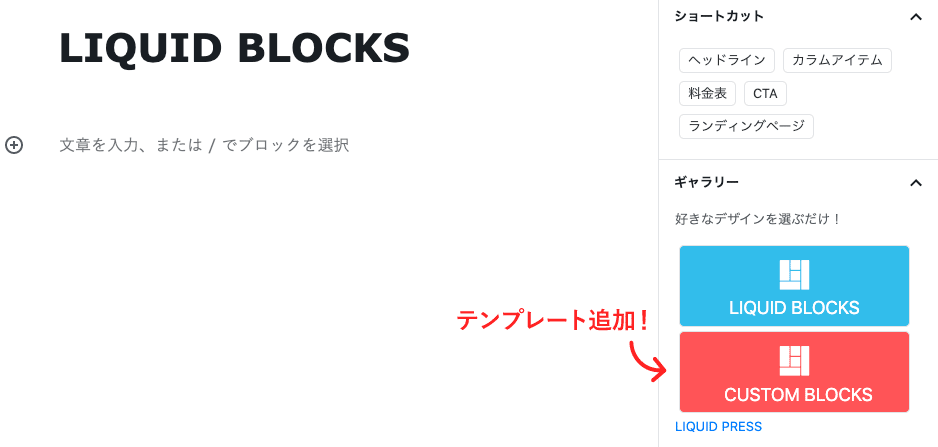
How to create block patterns
You can create block patterns and add your own original block templates (WordPress 5.5 or later).For details, please refer to the instructions on creating block patterns below.
How to create block patterns
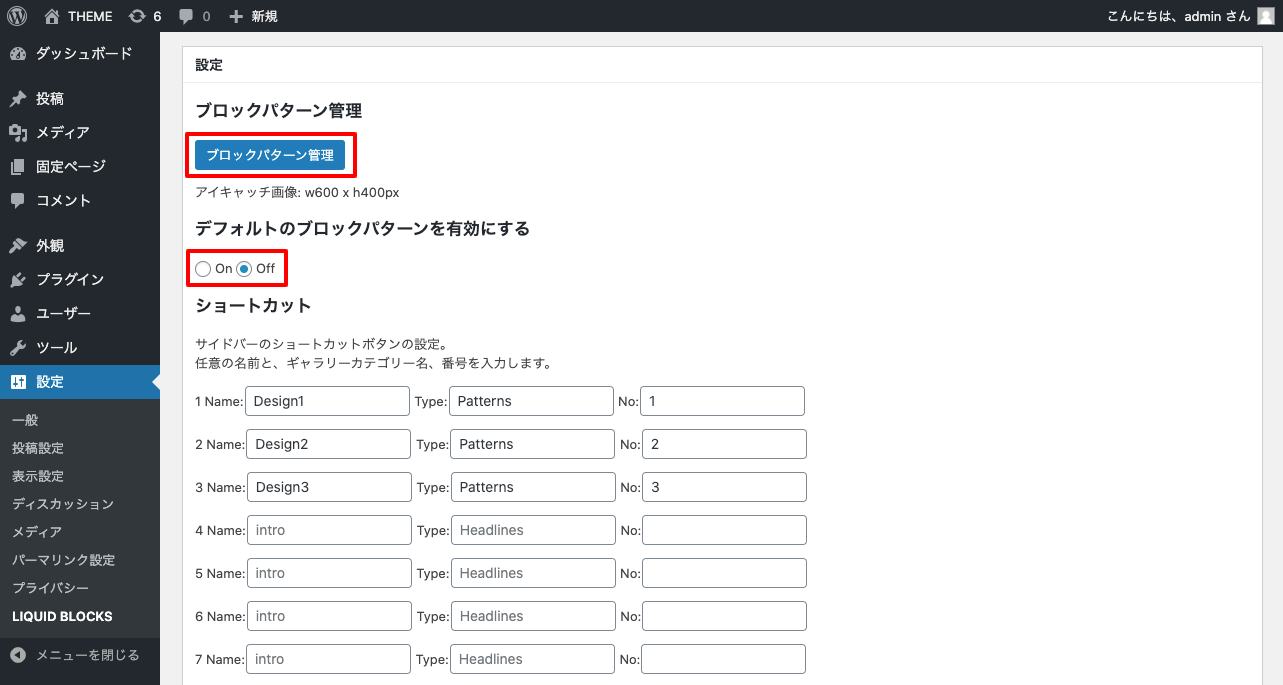
Click Settings > LIQUID BLOCKS > Block pattern management.
Note that by setting "Enable default block patterns" to "Off", you can also hide the standard WordPress block patterns.
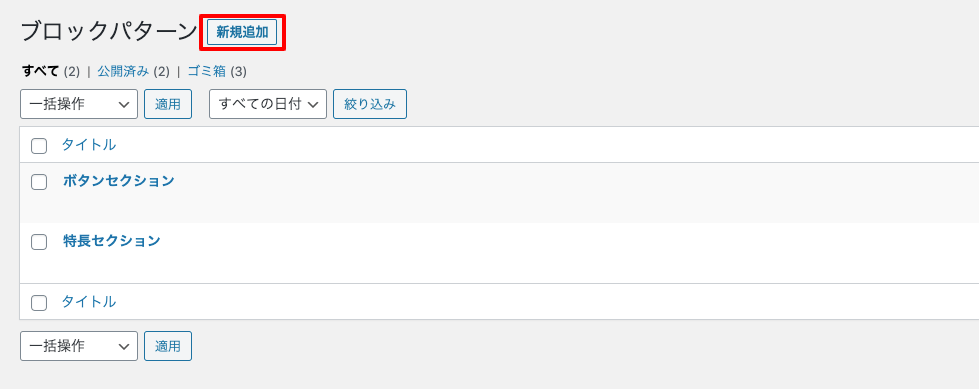
 On the block pattern management screen, click "Add New".
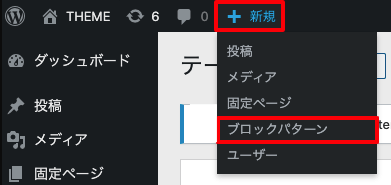
 You can also create a new one from the header menu of the admin screen.
 Set the block pattern's title, category, and featured image. The featured image (w600 x h400px) is used in the block gallery.
When you have finished editing, click "Publish".
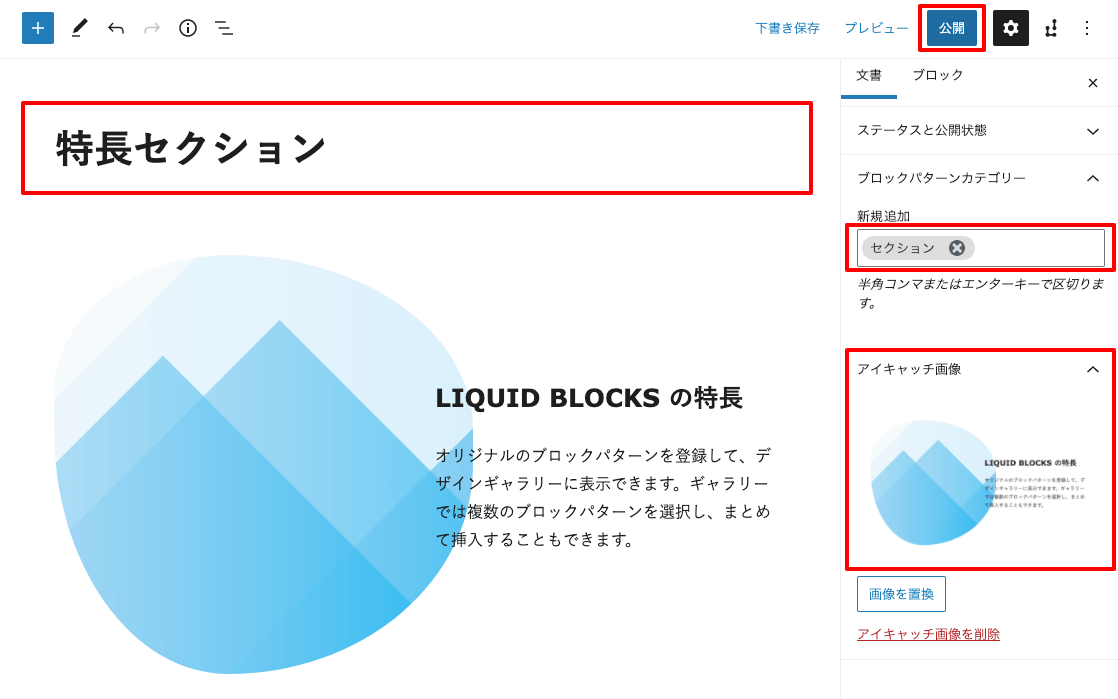 It has been added to the block patterns.
It has been added to the block gallery as well.
It has been added to the block patterns.
It has been added to the block gallery as well.
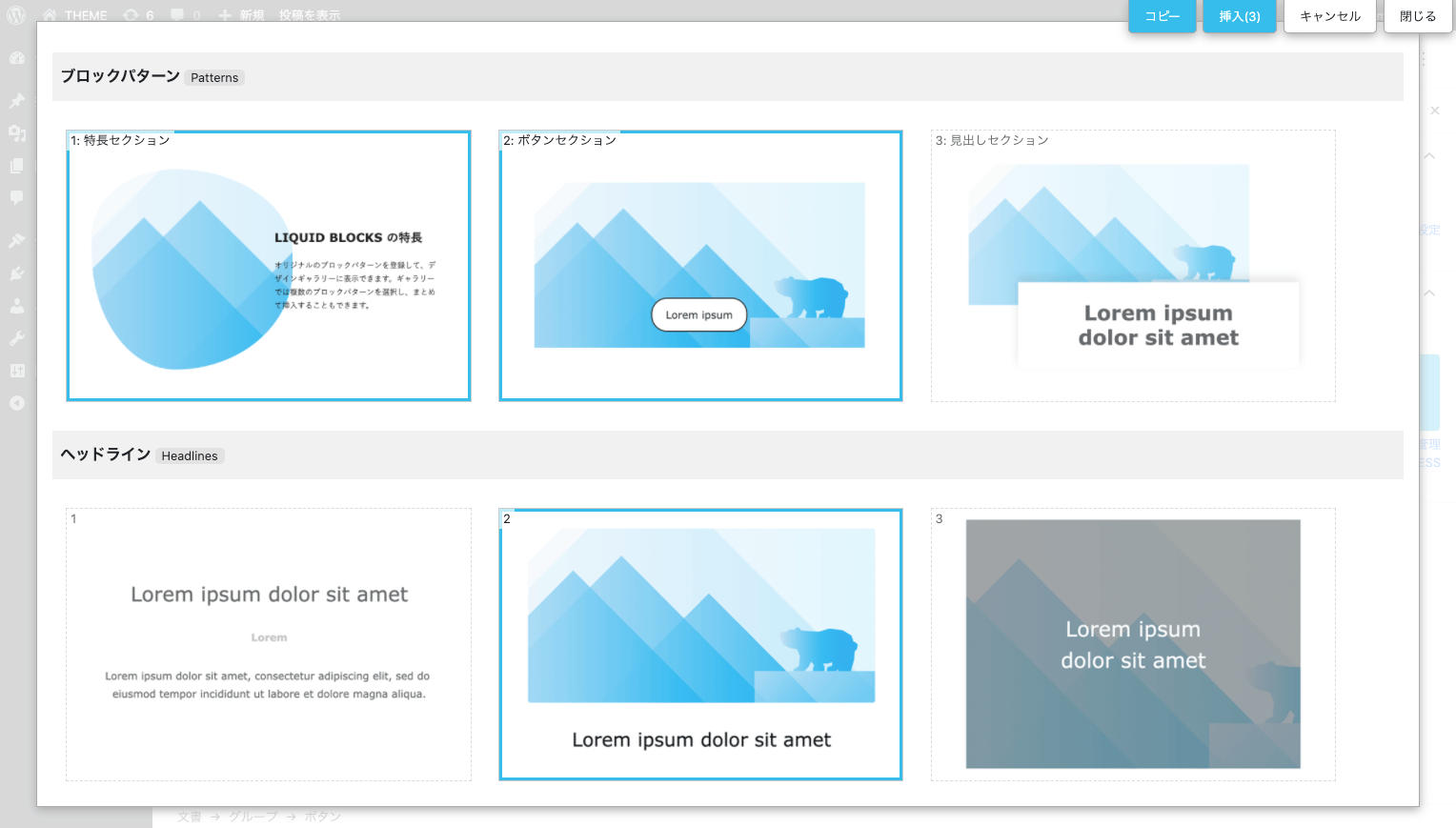 Block patterns are displayed in order of the publication date on which they were created. You can rearrange them by editing the publication date.
For details on how to edit in the block editor, please see Handy ways to use Gutenberg.
How to use the block gallery
Simply display LIQUID BLOCKS in the block editor of a post or page and choose the design you like.The block you choose from the shortcuts or from the designs in the block gallery is inserted.
How to use the block gallery
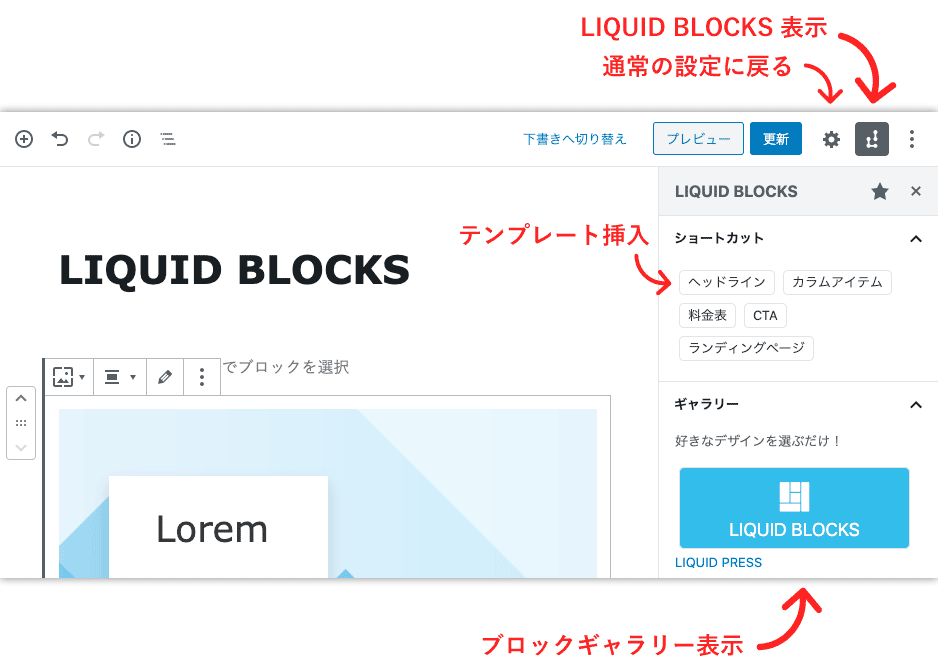
Block gallery
You can display block templates and block patterns across the full screen.Click a block thumbnail to insert it. You can also click "Select" from the menu at the top right to "Insert" or "Copy" several at once.
Headline: image & text
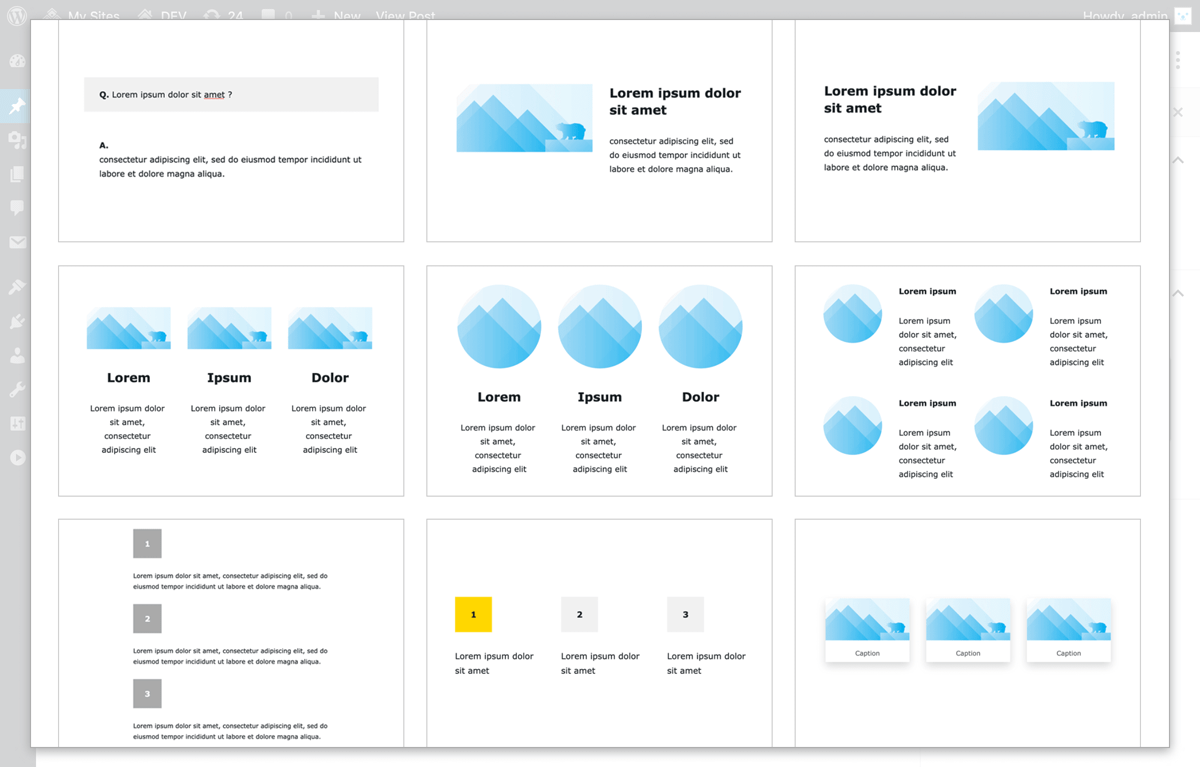
Layout: columns & grid
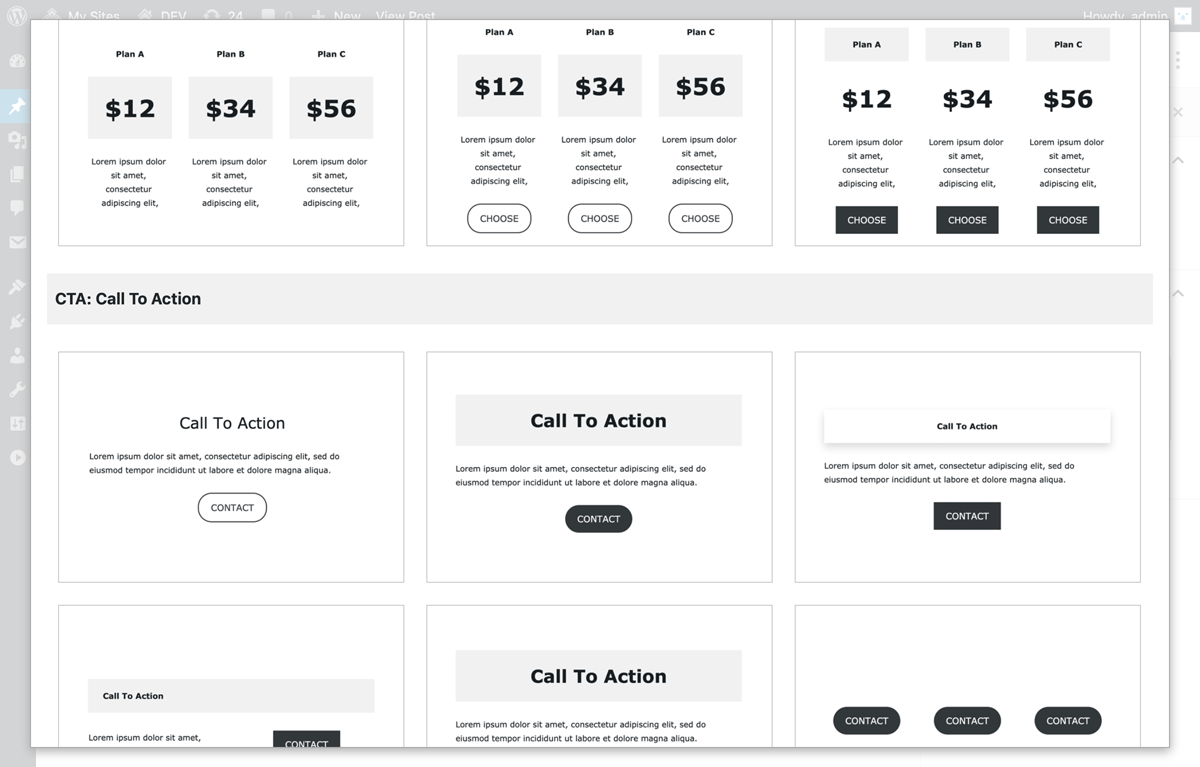
Pricing table, CTA
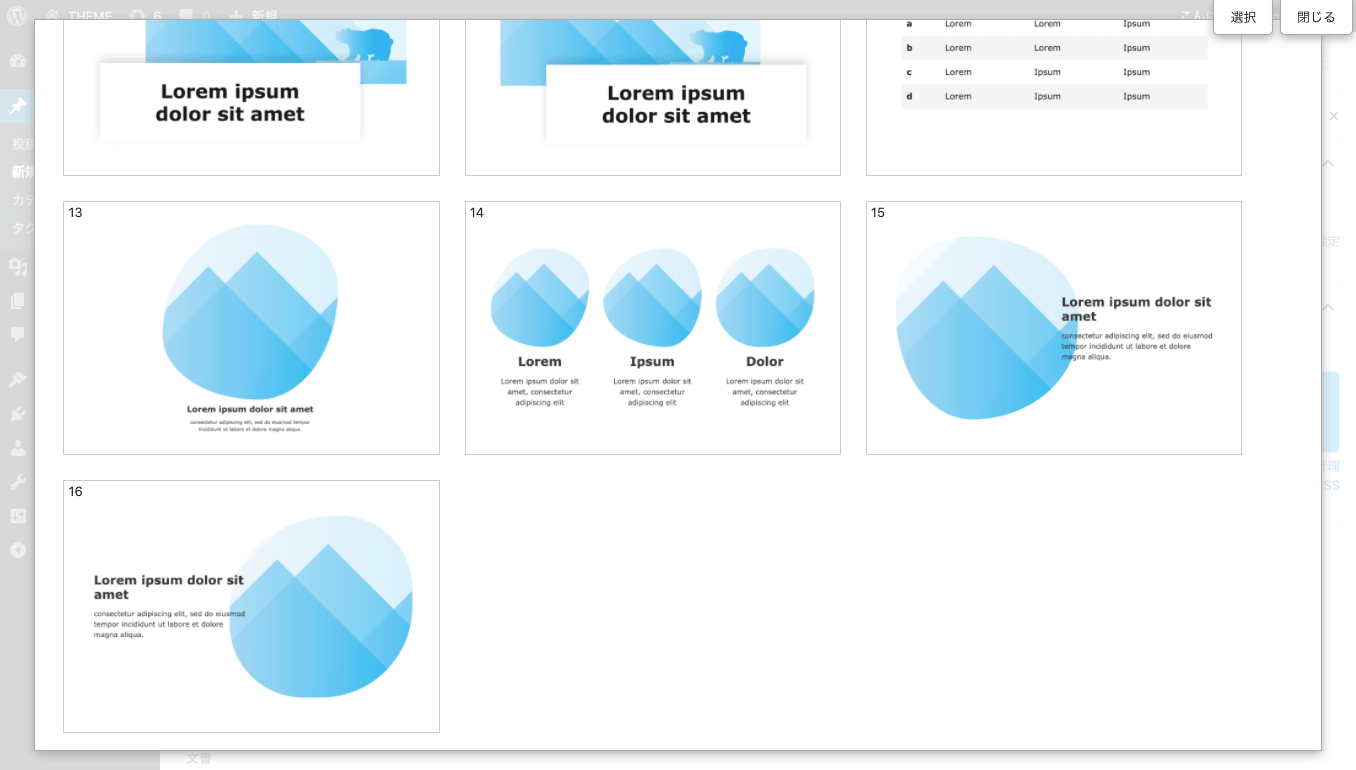
Fluid shapes
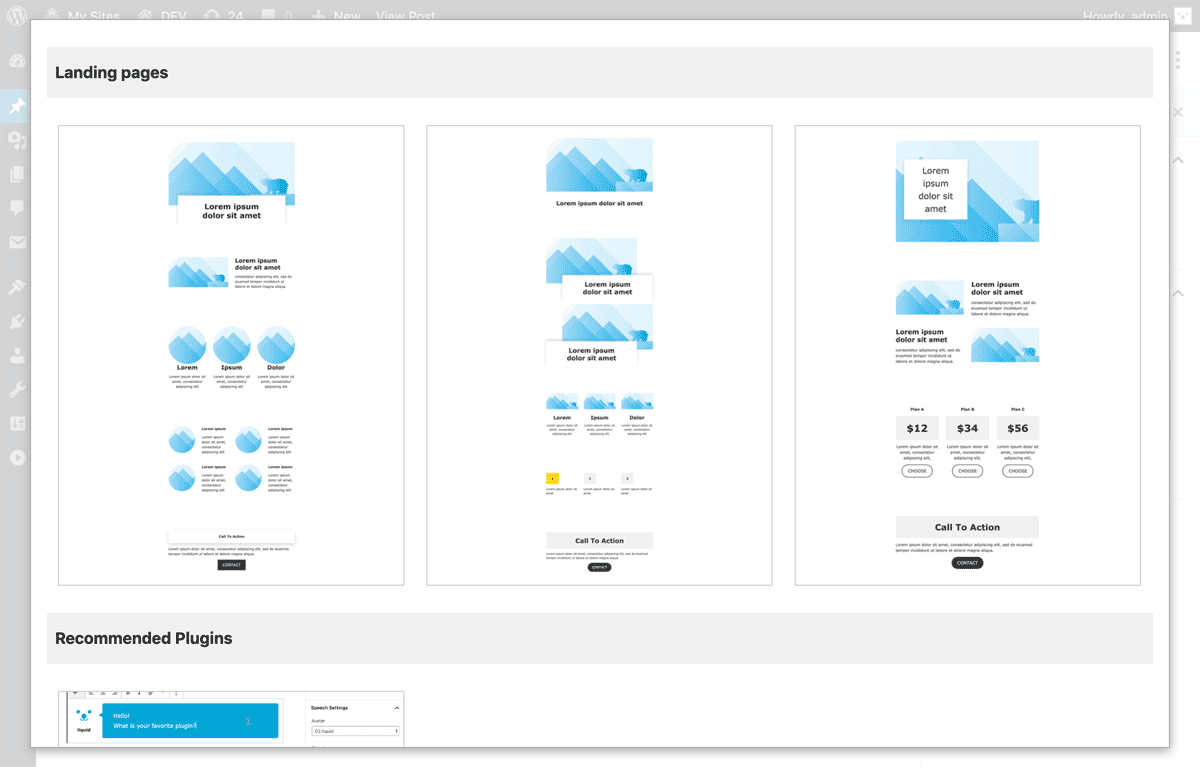
Landing page: design for the whole page
Shortcut settings
You can configure what is displayed in the shortcuts.Configure this from Admin screen > Settings > LIQUID BLOCKS, then save your changes.
- Name: the name you want to display
- Type: pattern category (Patterns, Headlines, Layouts...)
- No: gallery number
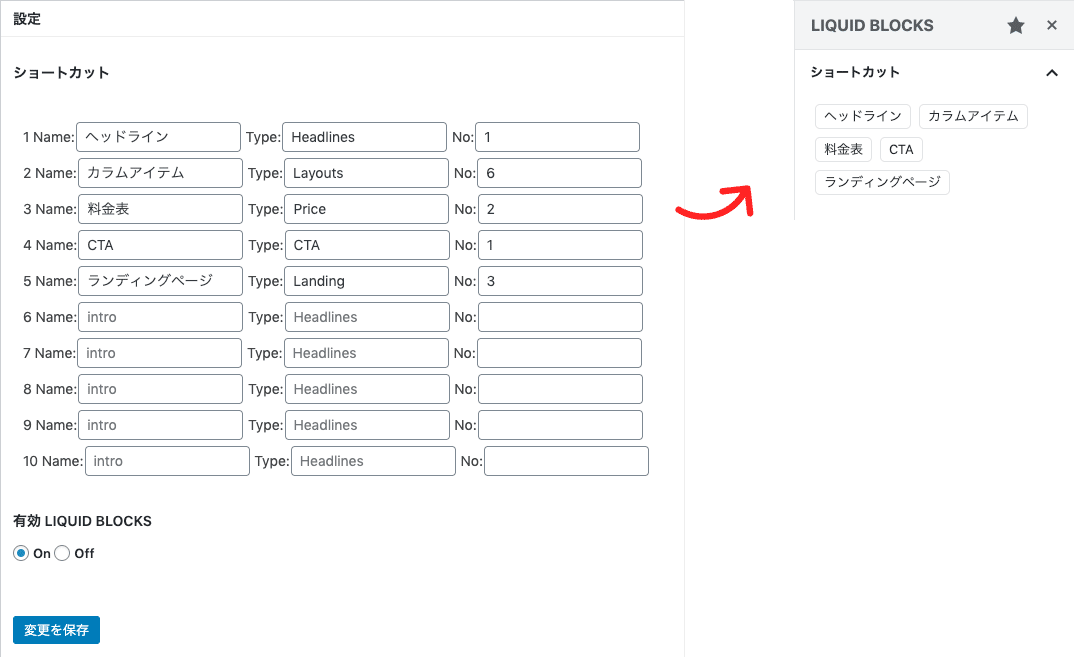
Block toolbar extensions
The standard WordPress editor toolbar and block settings also become easier to use.Rich text tools
The rich text tools Mark, Underline, Big, and Small make a wide variety of styling possible.Select text, then choose from Toolbar ▼.
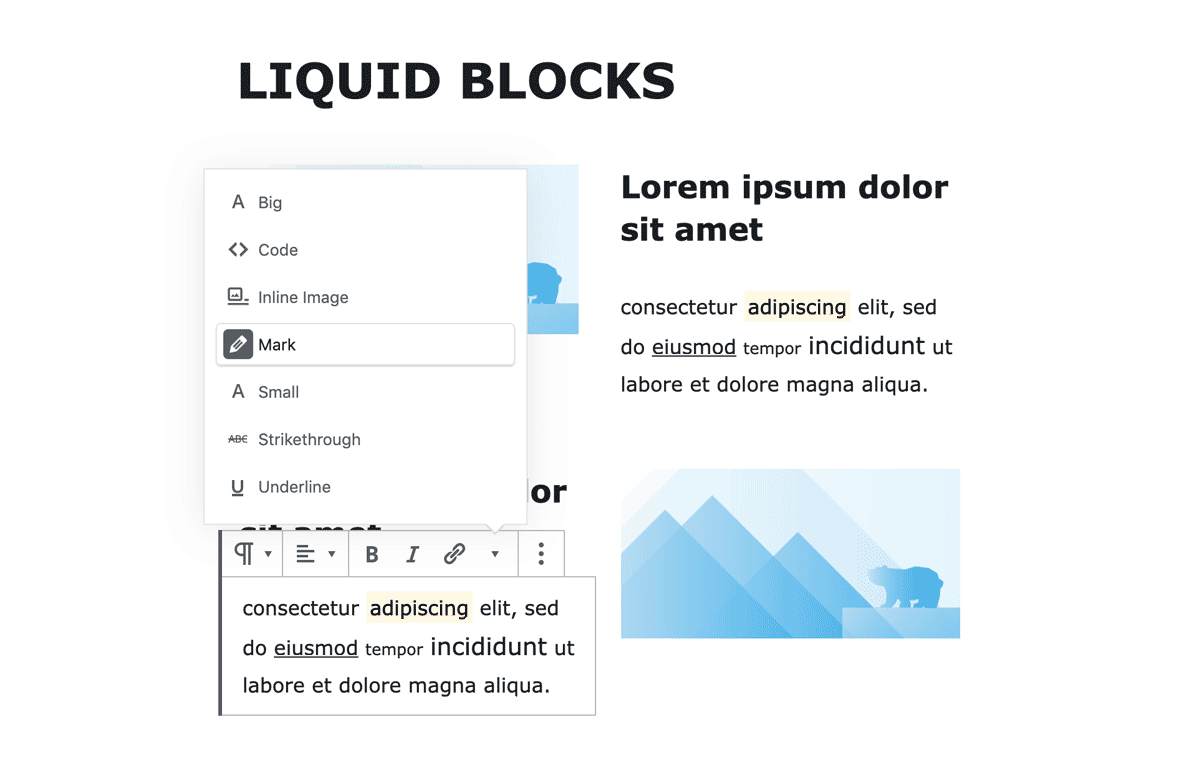
Table width
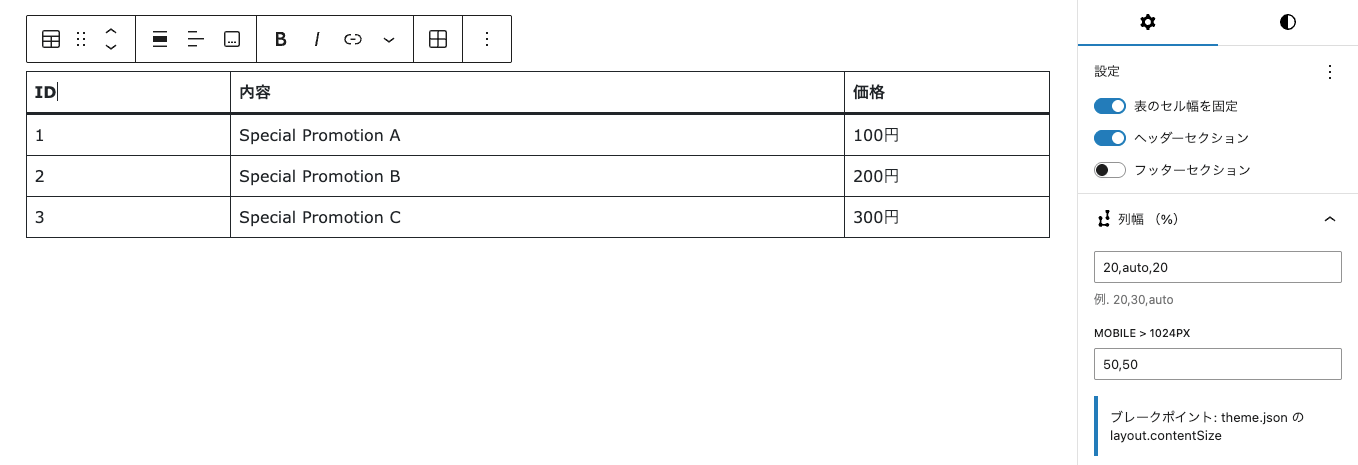
A column width (%) setting is added to the standard table block.Set a percentage or "auto". Separate settings for each responsive breakpoint are also possible.
Feature list
LIQUID BLOCKS Pro
The Pro version lets you use all of the features.- Unlimited sliders and tabs (free version: up to 10 each)
- Fixed / sticky block and If condition block: advanced options
Blocks
- Slider block (carousel, slideshow, fade)
- Tab block
- Accordion block
- Card block
- Custom field block
- Fixed / sticky block (Pro)
- If condition block (Pro)
Tool extensions
- Mark (highlighter)
- U (underline)
- Big (large)
- Small (small)
- Table width
Block gallery: 37 types
- Headlines
- Layouts (Q&A, rankings, columns, steps...)
- Pricing tables
- CTA (click to action)
- Landing pages
Settings
- Block pattern management
- Enable/disable default block patterns
- Shortcut settings
- Enable/disable LIQUID BLOCKS
Other
- Internationalization support (Japanese, English, Spanish)
- AMP support (featured on Google's official site)
Notes
* The block features depend on the core functionality of WordPress itself. The specifications of this plugin may change as a result of changes to the WordPress core. Please understand this in advance.
* If you experience problems with the block editor, please see our FAQ.
Major update history
- v1.3.4: Added the fixed / sticky block and the table width feature.
- v1.3.3: Added the tab block and the If condition block.
- v1.3.0: Significantly updated the slider block and added the custom field block.
- v1.2.0: Added support for the slider block, accordion block, and card block.
- v1.0.6: Added support for block patterns.
- v1.0.5: Compatible with AMP.
- v1.0.0: Released as an official WordPress plugin.
- v0.9: Limited release for subscription plans.
The plugin can be used with any theme, but the appearance of blocks may differ depending on the theme.
We recommend the LIQUID PRESS series of themes for use with this plugin.

Please share your impressions and requests on Twitter with the hashtag #liquidpress!
And please follow @lqd_jp too!
| WordPress slider block & pattern plugin LIQUID BLOCKS | |
|---|---|
| Price | Free and up |
| Specification | A plugin registered in the official WordPress directory |
| License | GPL (commercial use permitted, copyright notice may be removed, no limit on number of installations) |
| Requirements | WordPress 6.0 or later, block editor |
| Support | Continuous support plan |